How to play the Football Career Simulator — an illustrated guide
In the Football Career Simulator, one in-game year takes about 40 seconds at 1× speed. There is never any rush: the game automatically pauses whenever decisions await.
Quick start in 5 steps
- Tap "Start life"
- Childhood: pick 2 routines + ask your parents in "Decisions"
- At age 12, choose your position
- A •number badge on "Decisions" means pending matters — tap to view
- At retirement, view your report, share or challenge a friend to play the same character (unranked)
1. Birth
When you encounter this: Every time you start a new life — birth circumstances are random and cannot be chosen.
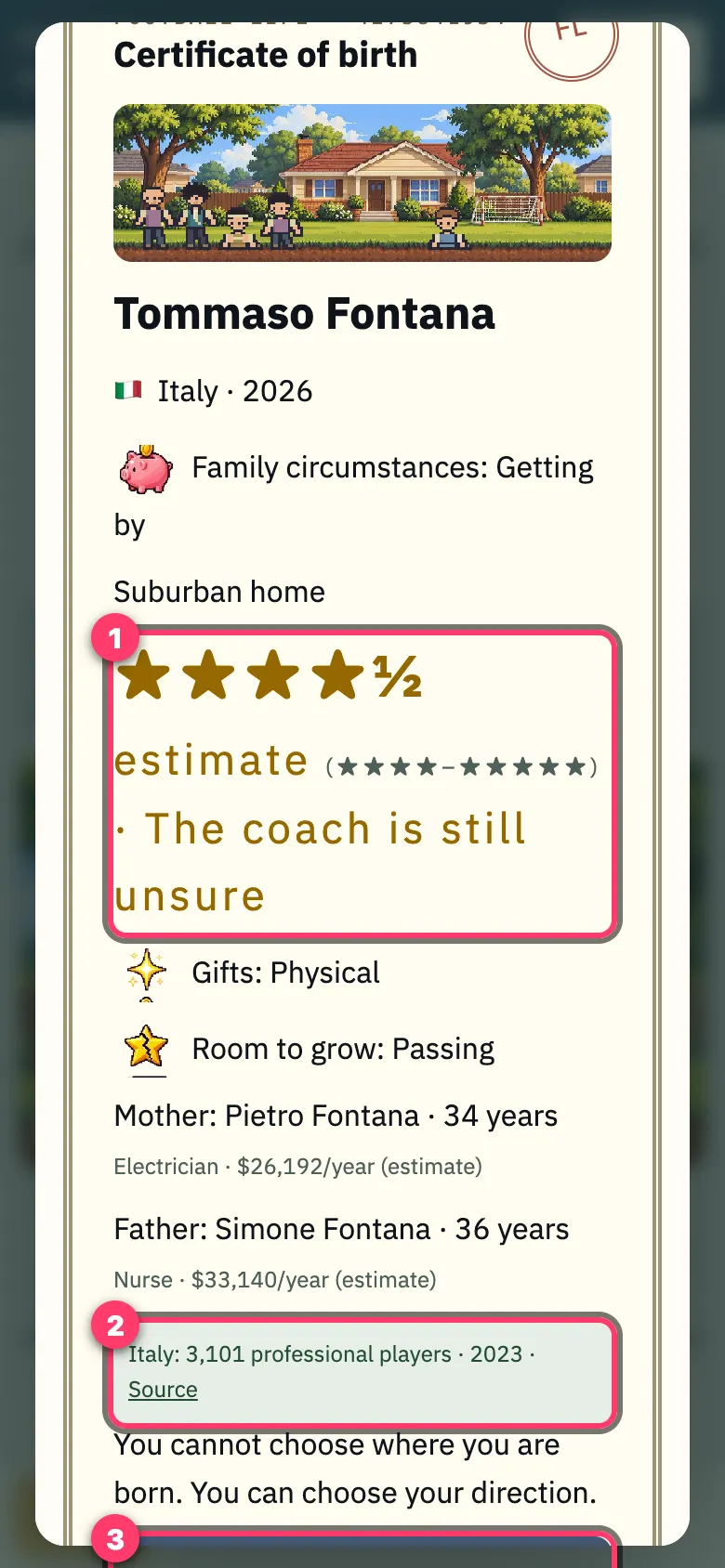
- Talent stars show an estimated range evaluated by coaches (e.g. ★★★ estimate, range ★★½–★★★½), not a fixed value; your true ability becomes clearer as you grow. Below are your natural strengths, areas to train, family wealth, and parents' occupations.
- Real-world context for your birth country (number of professional players + source links).
- "Start life"
2. Childhood (0–11)
When you encounter this: From age 0 to 11. The simulation automatically advances at 4× speed.
Daily Routines
When: At ages 4, 7, 10 · Choose 2 routines; effects last 3 years (each card shows which skills it improves).
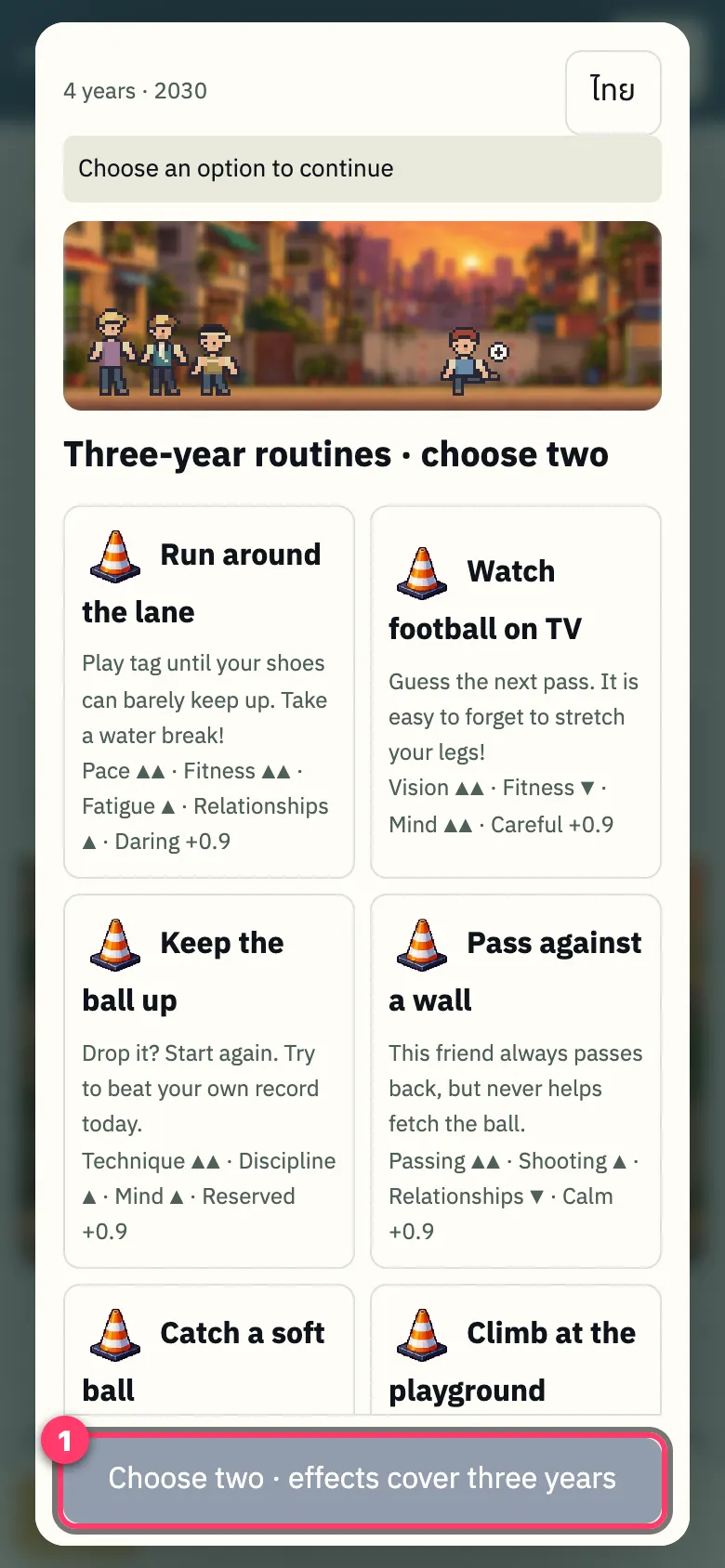
- The confirm button activates once you select exactly 2 routines. Around the same time, a personality question will follow.
Childhood Main Screen
When: Main interface throughout childhood · Runs at 4× automatically · Bottom navigation bar (used throughout the whole game):
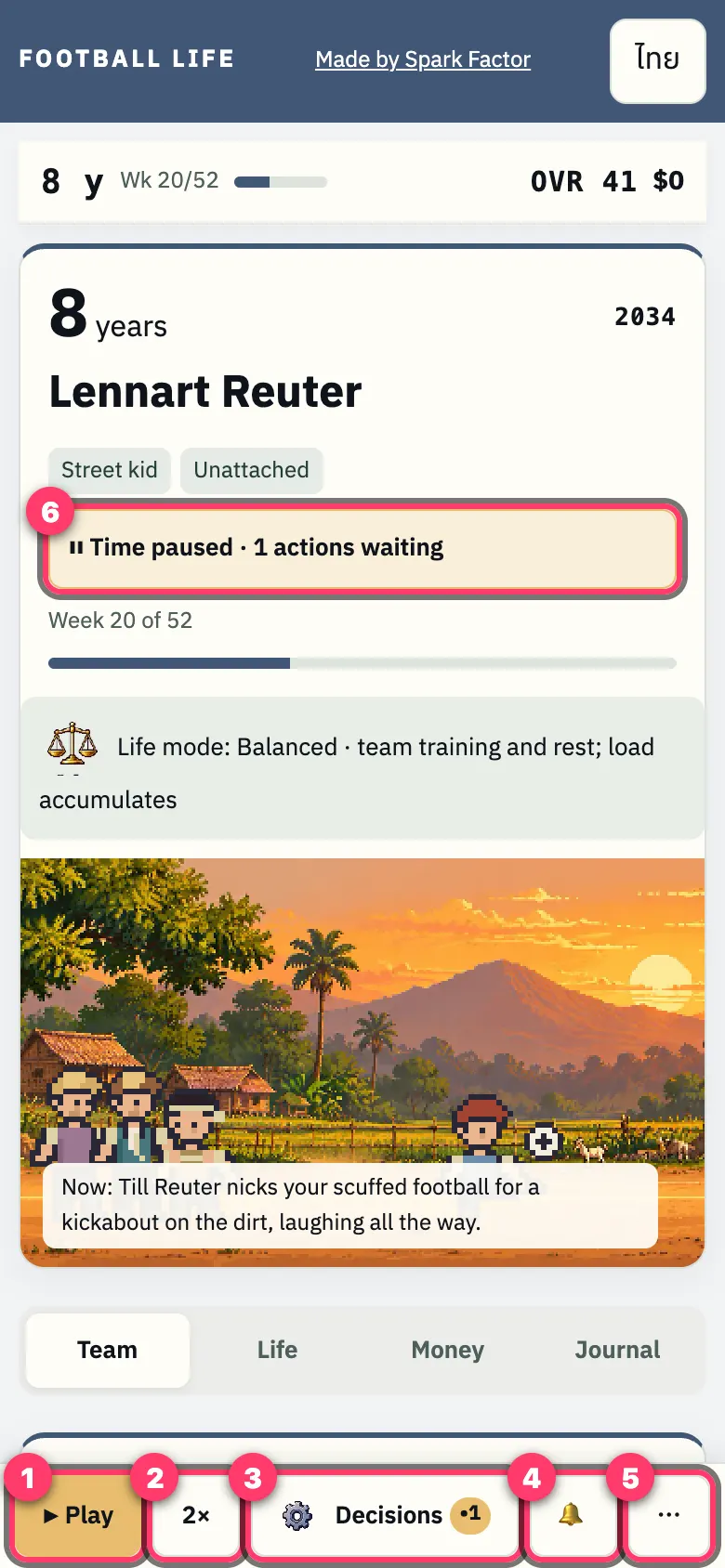
- ▶ Play / ❚❚ Pause
- Speed control: cycles 1× → 2× → 4× → 8× (if time moves too fast, switch to 1× or 2×)
- "Decisions •N" — N = number of pending choices waiting for you
- 🔔 Notification history: last 20 alerts (re-read transient messages anytime)
- ⋯ More menu
- Status bar "⏸ Time paused · N decisions pending" — the game pauses automatically when action is needed (it's not frozen); tap "Decisions" or ▶ to continue.
Ask Your Parents
When: Found in "Decisions" during childhood.
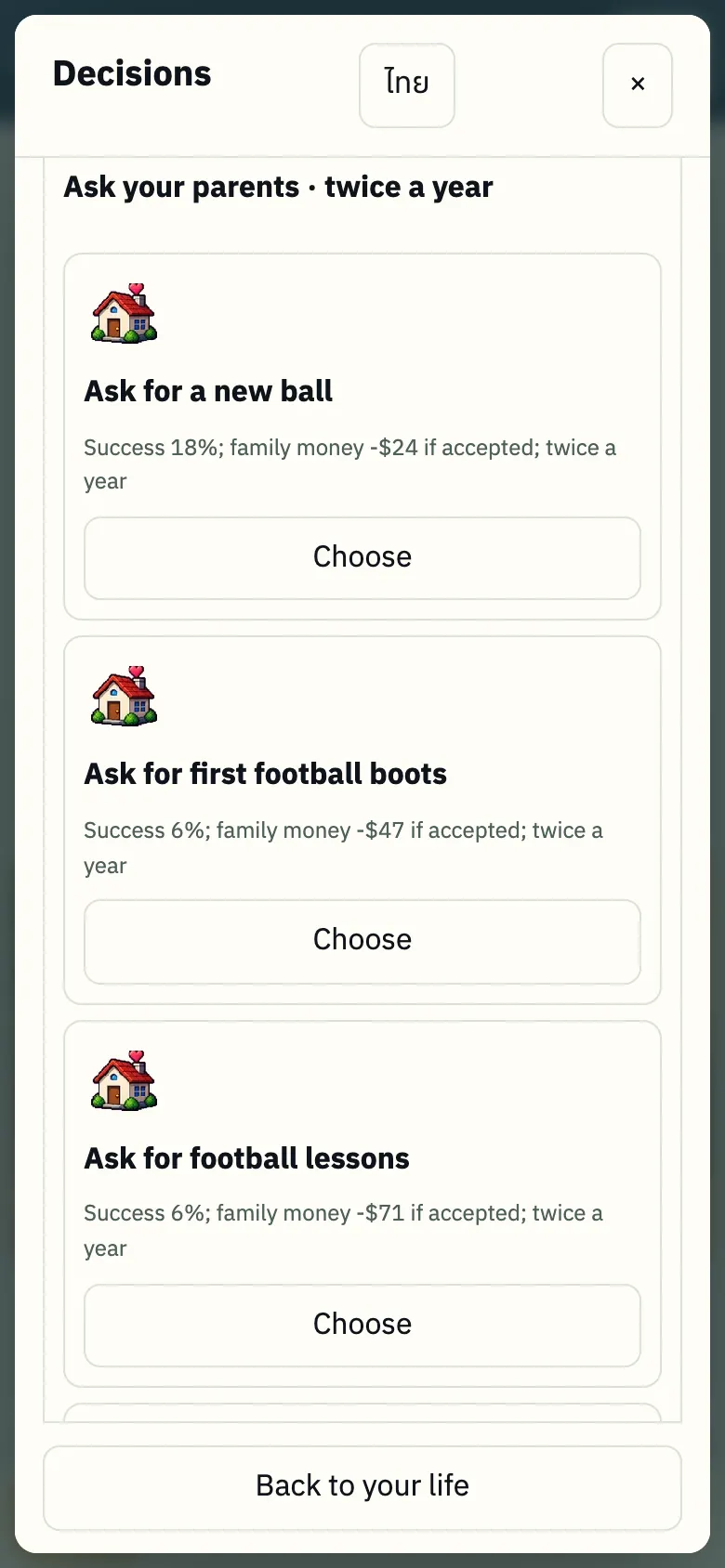
- Ask your parents for a ball, boots, or football course up to 2 times per year. Each request shows success chance (%) and family cost — wealthier families offer higher success odds.
3. Age 12: Choose Position
When you encounter this screen: At age 12, when entering organized youth football.
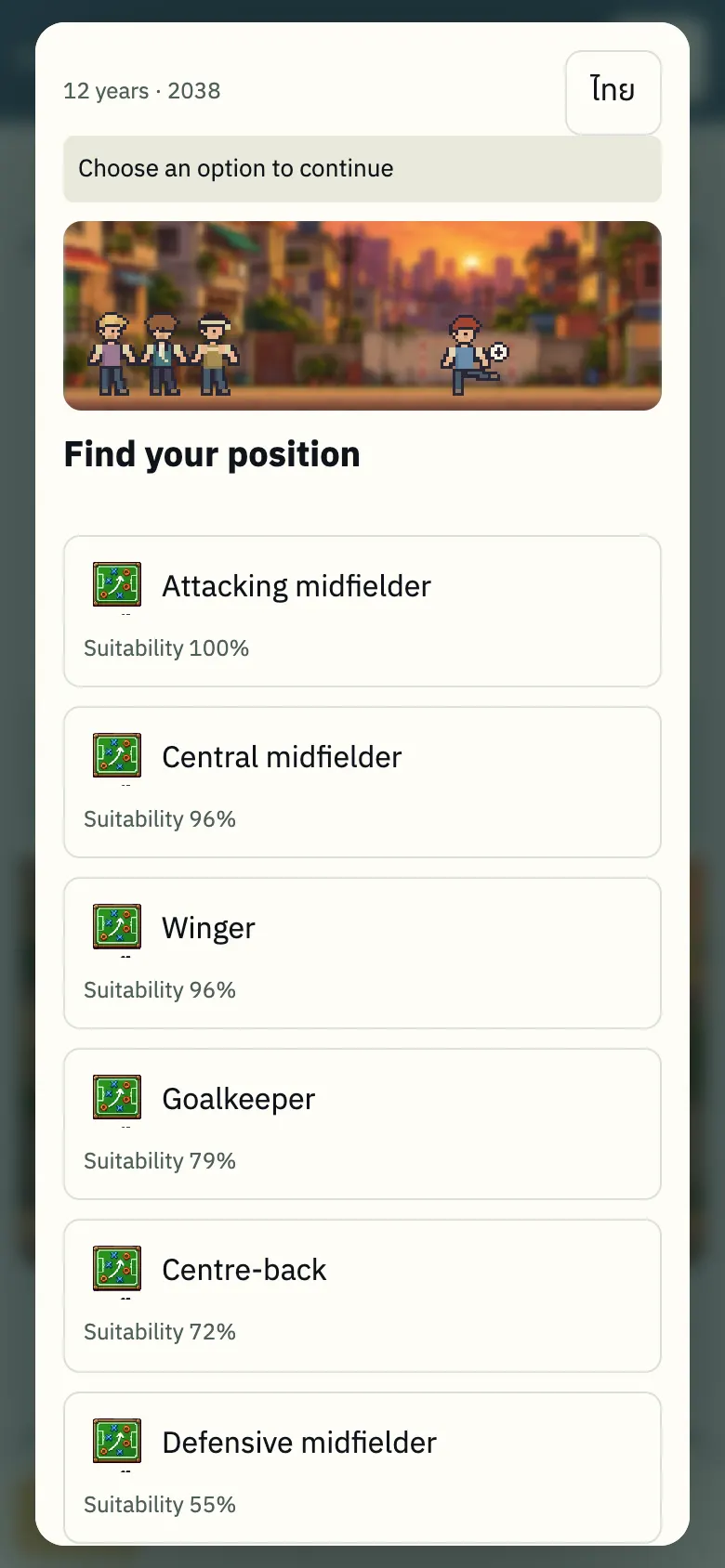
- "Fit" percentage is calculated from skills accumulated during childhood · You can select any position, followed by a playing style.
- Position and style determine your key attributes (marked with ★) for training.
4. Main Player Screen
When you encounter this screen: Throughout your playing career (age 12 and beyond).
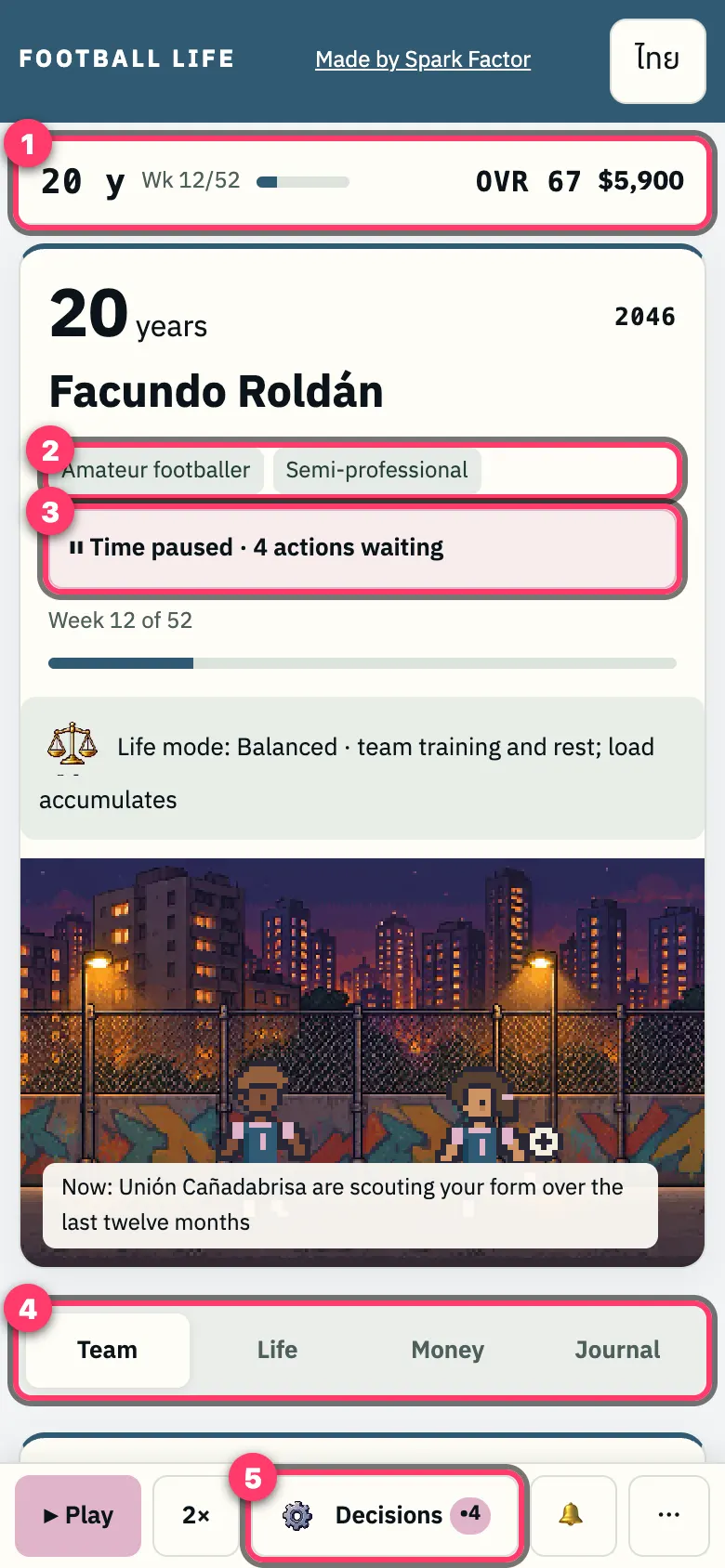
- Sticky top HUD: Age · Week (1 year = 52 weeks) · OVR (Overall rating) · Available cash
- Status: Level (e.g. Youth prospect, Professional, Semi-pro) and squad role
- Alert banner: "Time paused · N decisions pending"
- Tabs: Team / Life / Money / Journal
- "Decisions •N" button
5. Decisions Panel (4 Categories)
When you encounter this screen: Time pauses while this panel is open · A •number dot on a tab indicates new pending matters in that category.
Decisions Overview
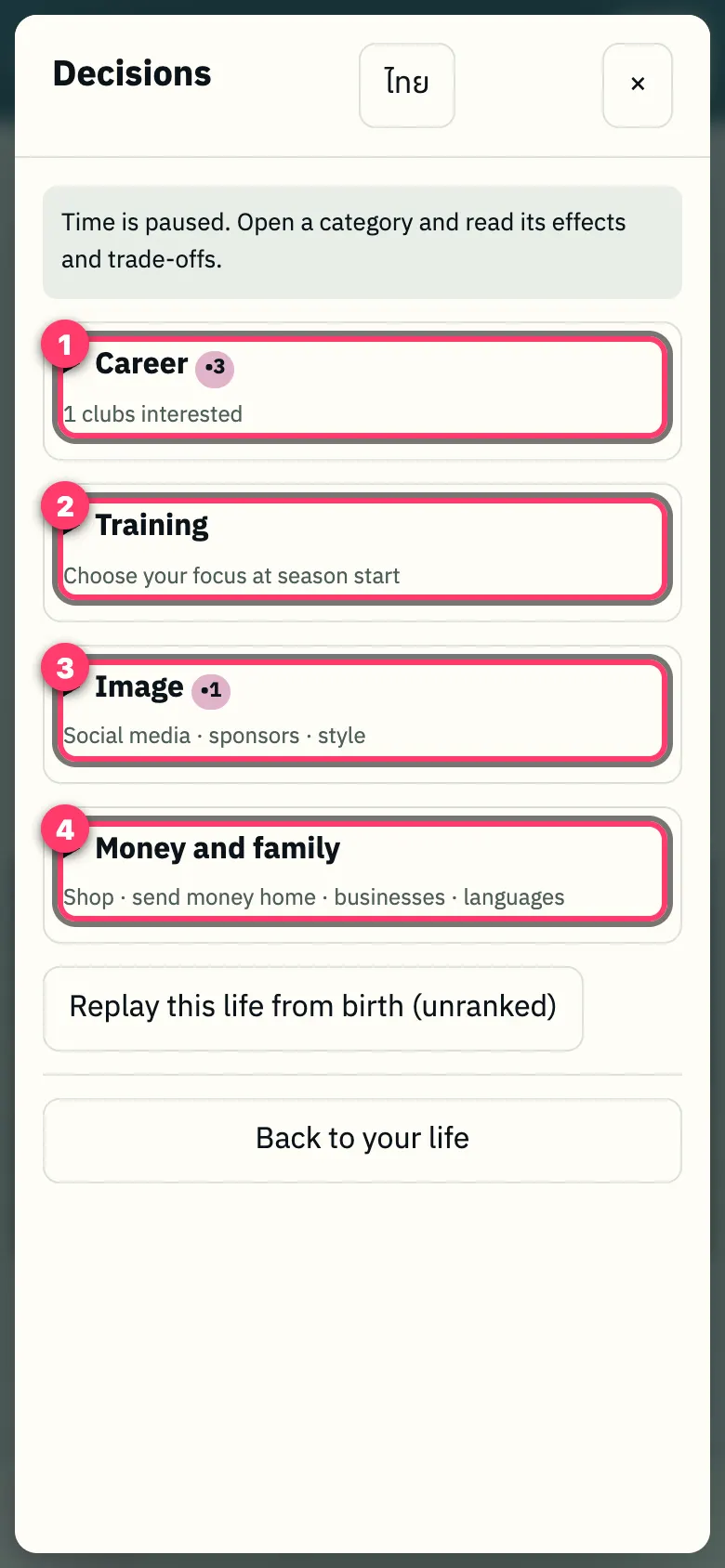
- Career
- Training
- Image
- Money & family
1. Career
Use when: Seeking a transfer or lacking playing time · Available during mid-year/annual transfer windows.
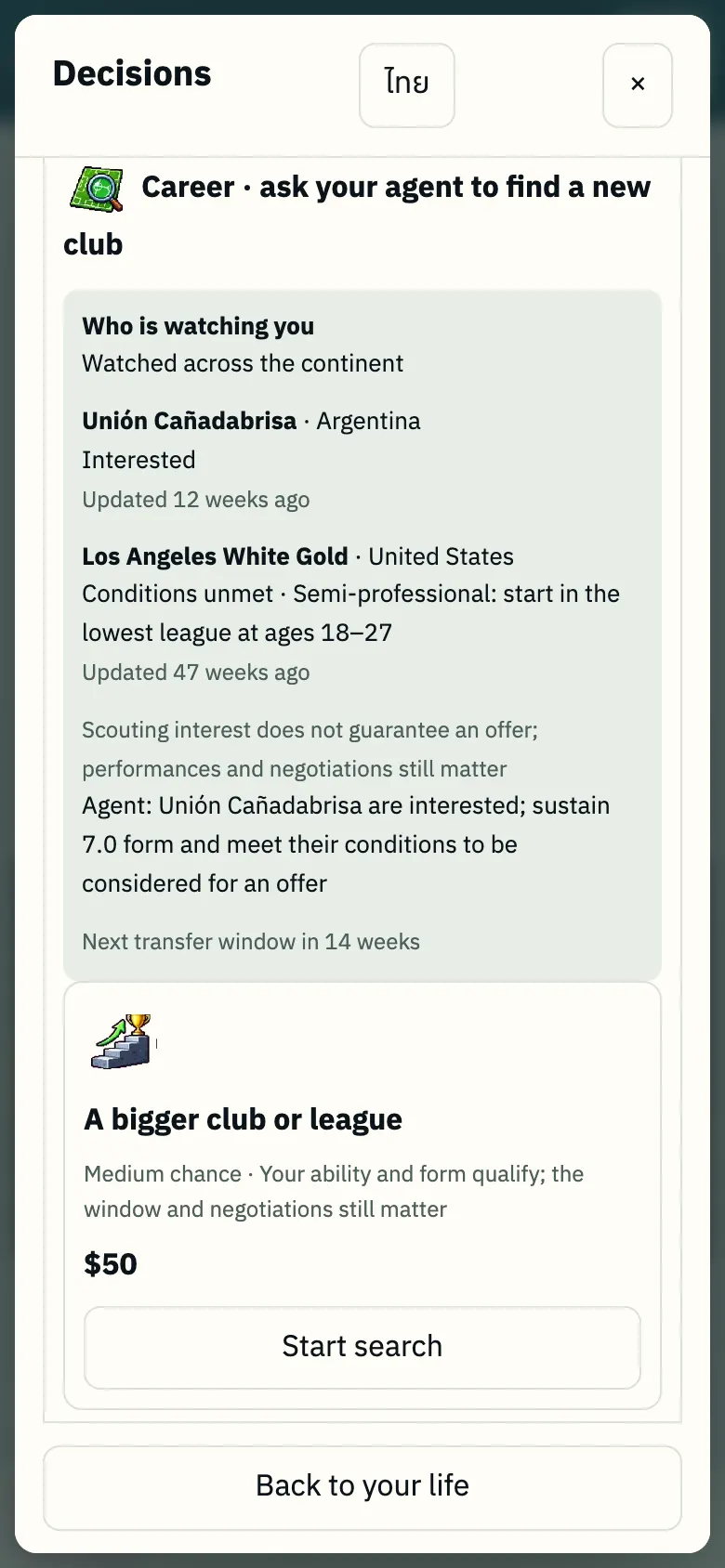
- "Who's watching you" box (interested clubs/scouts + requirements, e.g. maintain 7.0 match rating).
- "Agent search" for a new club (higher league / more playing time / target country).
- Change agent (top agents require high reputation).
2. Training
When: Planning training focus and fitness balance across the season.
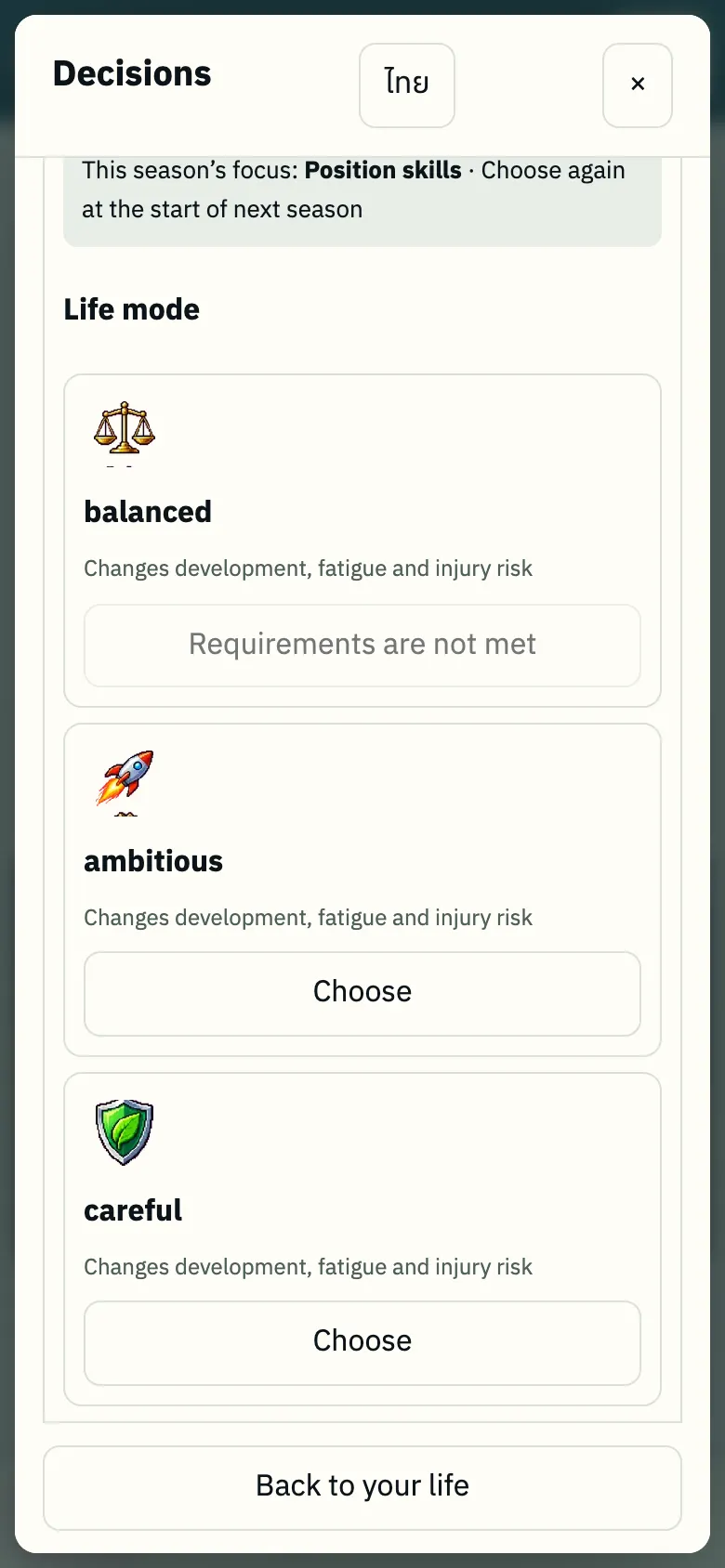
- Seasonal training focus
- Life mode: Balanced / Ambitious / Look after yourself (affects development, fatigue, injury risk).
- Training courses & specialized staff (purchasable upgrades)
3. Image
When: Managing public profile and off-field sponsorships.
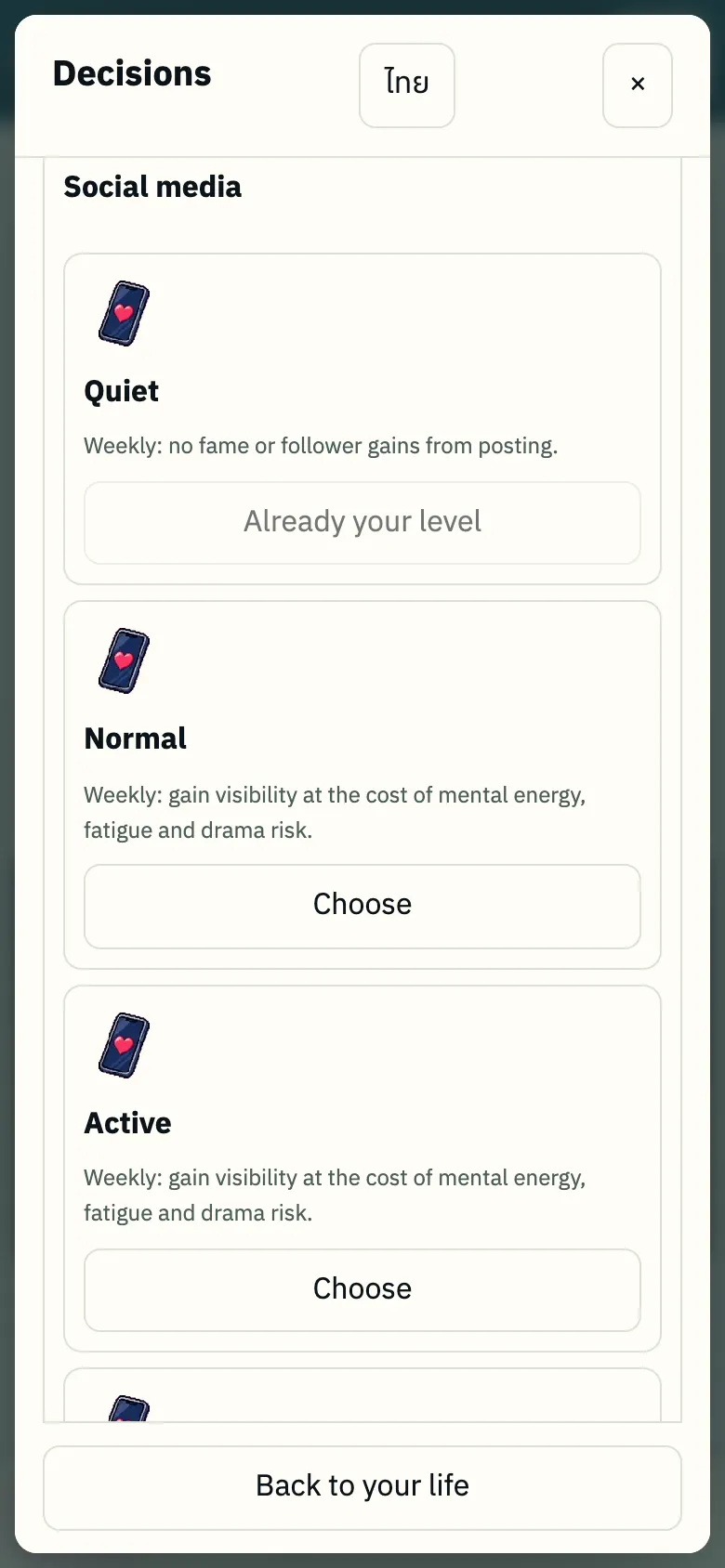
- Social media activity (Quiet / Moderate / Active… trades mental energy for reputation).
- Sponsors (unlocked when your reputation meets criteria).
- Style and lifestyle choices
4. Money & family
When: Managing finances, caring for family, and preparing for moves abroad.
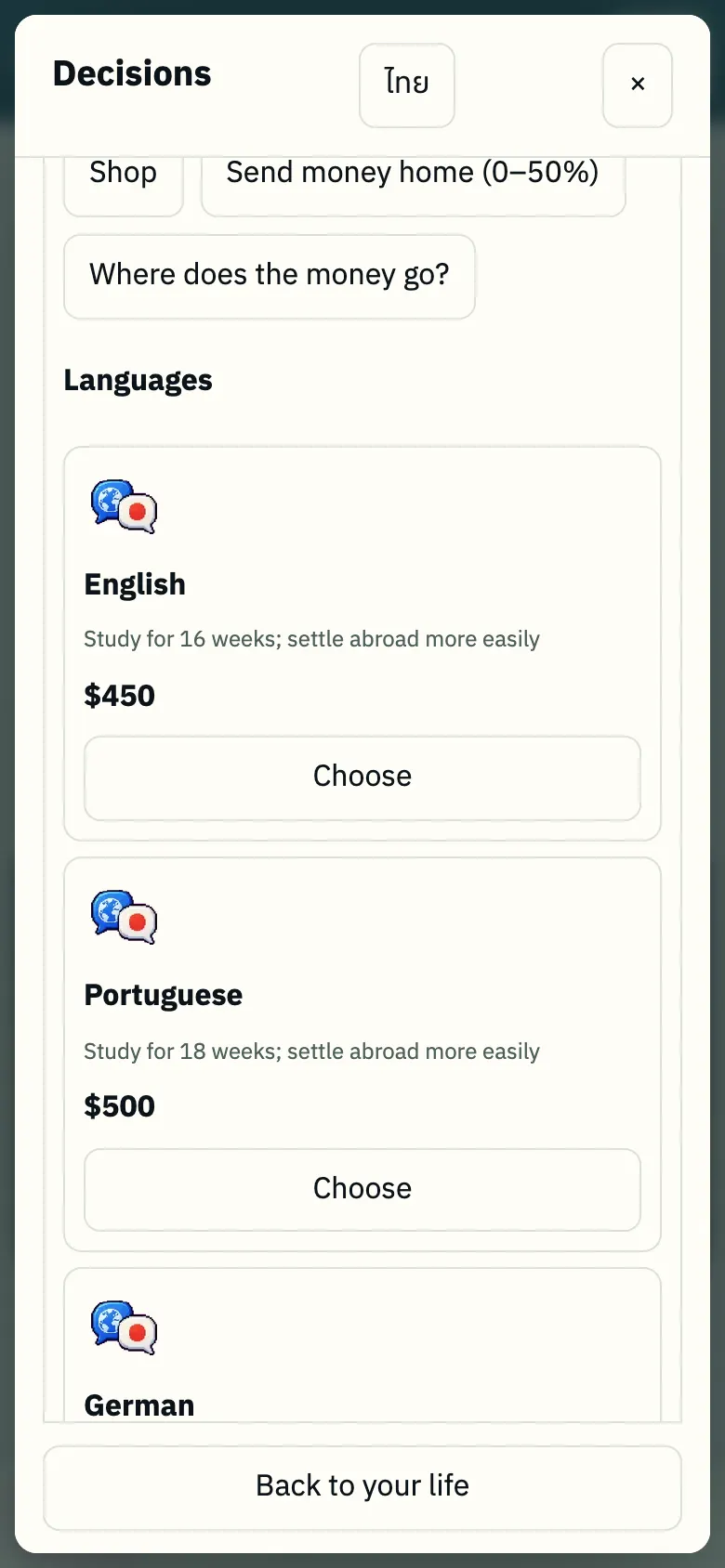
- Shop
- Remit money home (0–50%)
- "Where does the money go?" detailed income and expense sheet
- Language lessons (settle in faster when moving abroad)
- Simulated side businesses
In-Game Shop
When: Accessed from Money & family or the ⋯ menu.
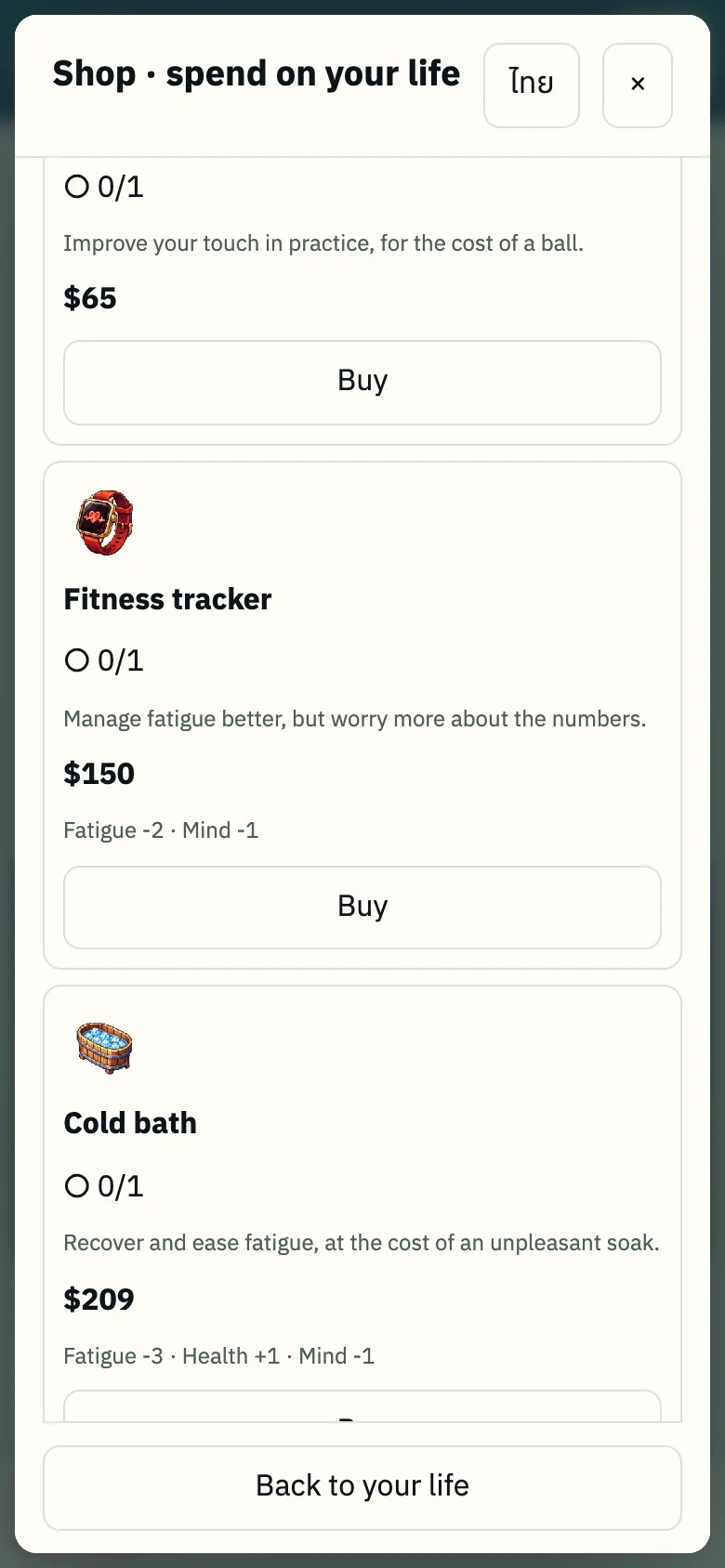
- Items in 3 price tiers; each item specifies effects (e.g. fatigue reduction) and annual upkeep costs.
- Purchased items display "0/1 → 1/1".
6. In-Game Events (Time Pauses Until Chosen)
When you encounter this screen: Occurs periodically during the season. Time remains paused until you make a choice.
Life Card
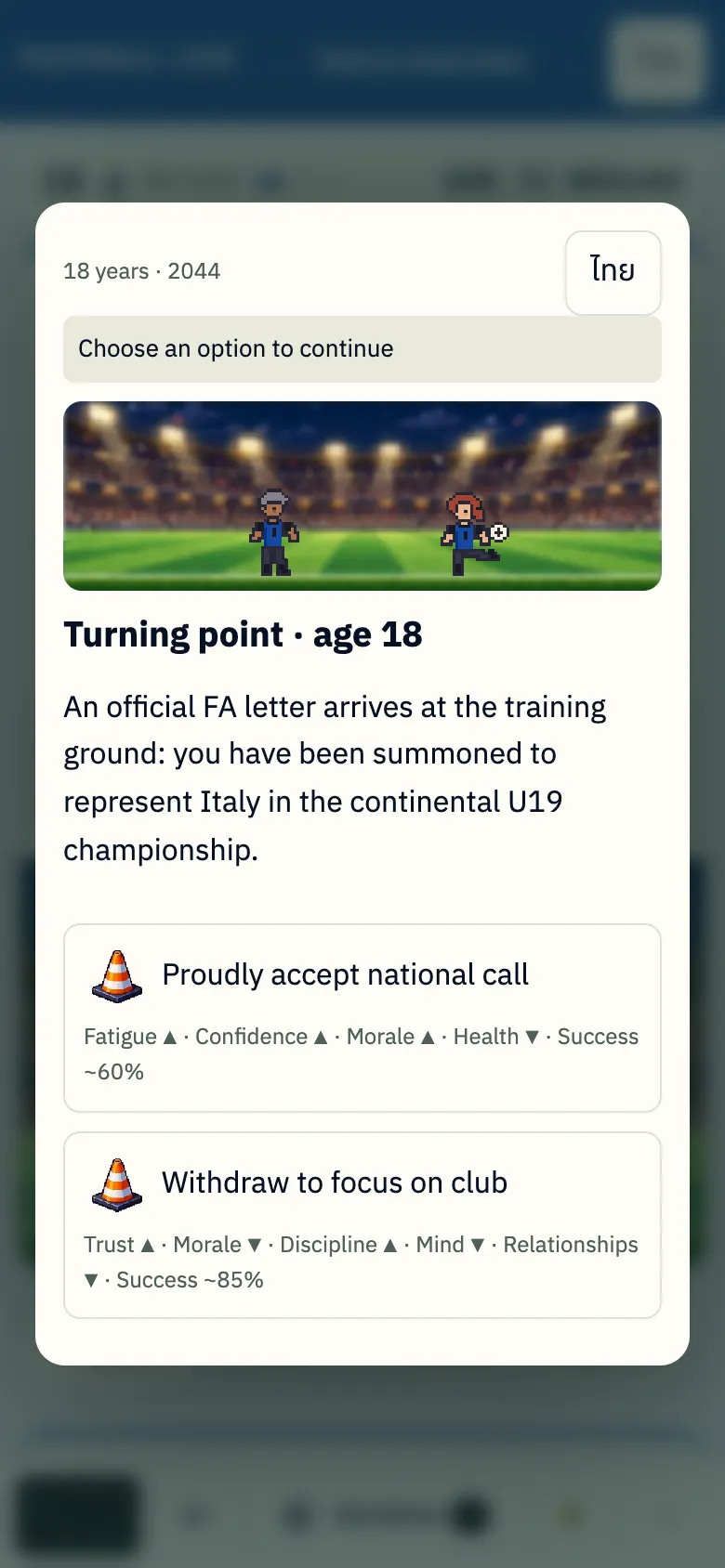
- Life card: each choice displays predicted outcomes (▲ increase ▼ decrease) and success rates — there are no wrong answers, only life choices.
Season Training Focus
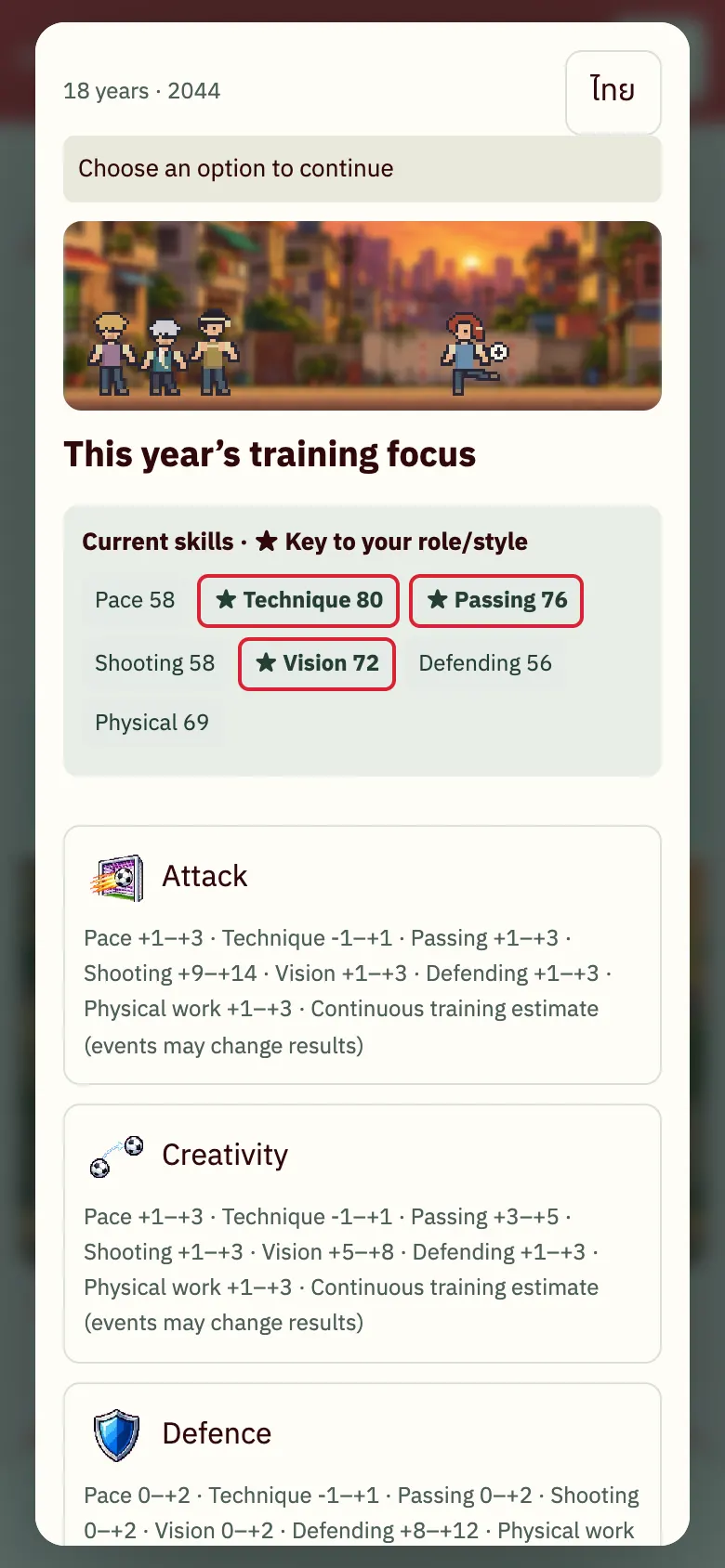
- Start of season: choose your training focus for the year.
- Skills marked with ★ are key attributes for your position and style.
Handling Injuries
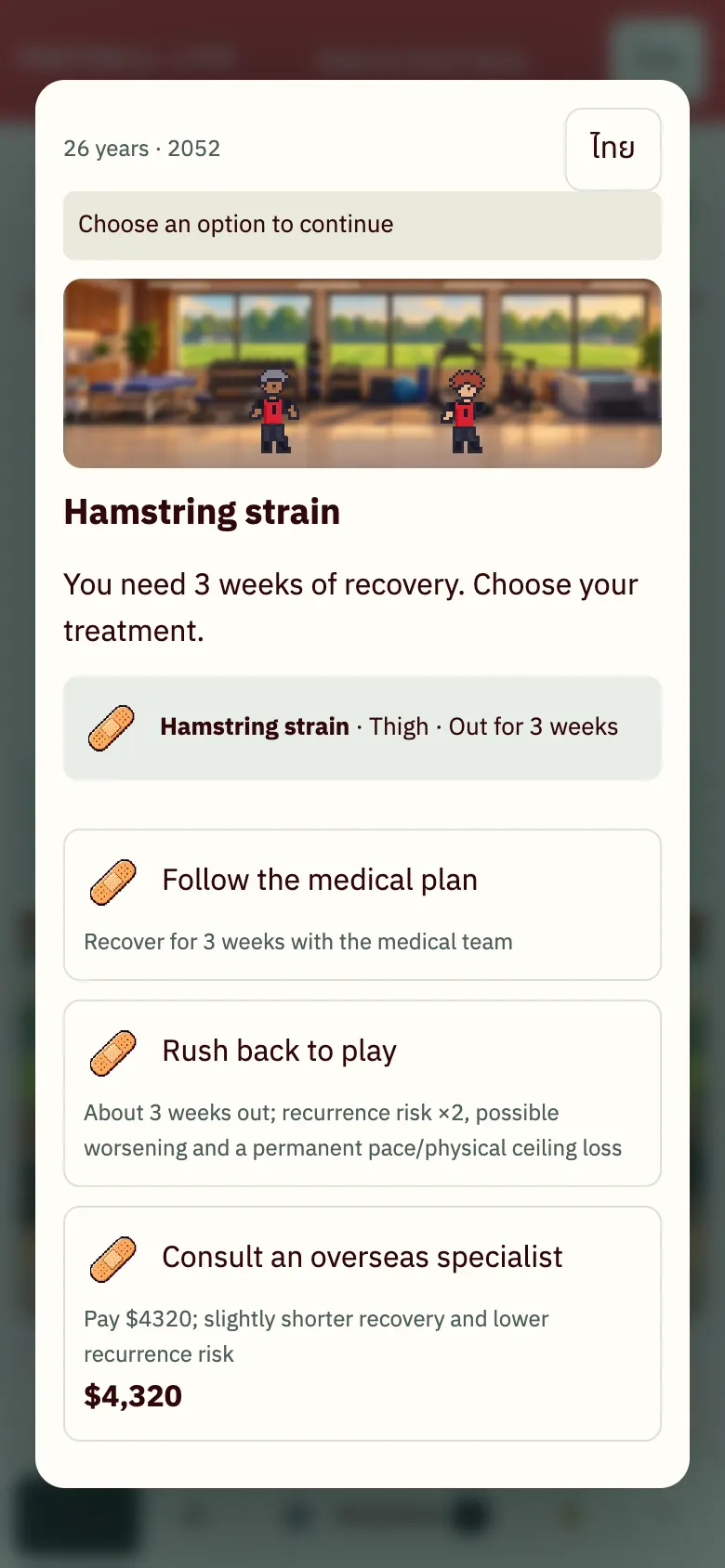
- Injuries: Follow doctor (slower but safe) / Rush return (high risk of re-injury) / Private specialist (costs money, recovers faster).
7. The decisive moment in big matches
In deciding league matches and cup finals, the game may pause for a decisive moment. Your options depend on your position: goalkeeper, defender, midfielder or attacker.
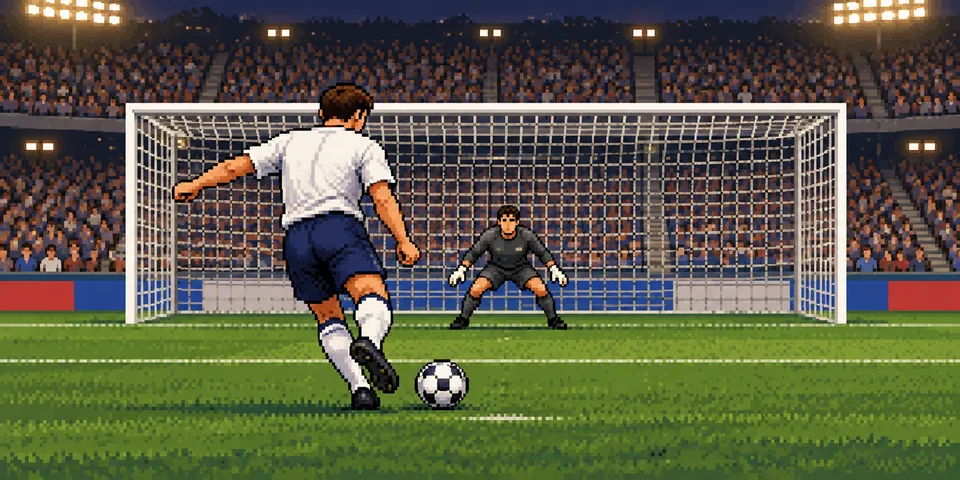
- Choose a play and check its approximate ~% chance of success. This is the chance your play comes off, rather than your chance of winning the match.
- Tap a zone on the picture to choose a direction. Read the hint first: red means avoid that zone; green means cover that side.
- The safe option keeps the current score and adds no goal. Once you choose, the result appears immediately.

8. Challenge a friend to play the same character
On the result page, press “Play as this character — can you go further?” and share the link with a friend. They start with the same birth circumstances and make their own career choices. A comparison table appears at the end.
Challenge games are unranked, so their results do not count towards the rankings.

9. Transfers & Contracts
When you encounter this screen: During transfer windows or when entering the final year of your contract.
Transfer Offers
When: During transfer windows (beginning/middle of season), offers appear.
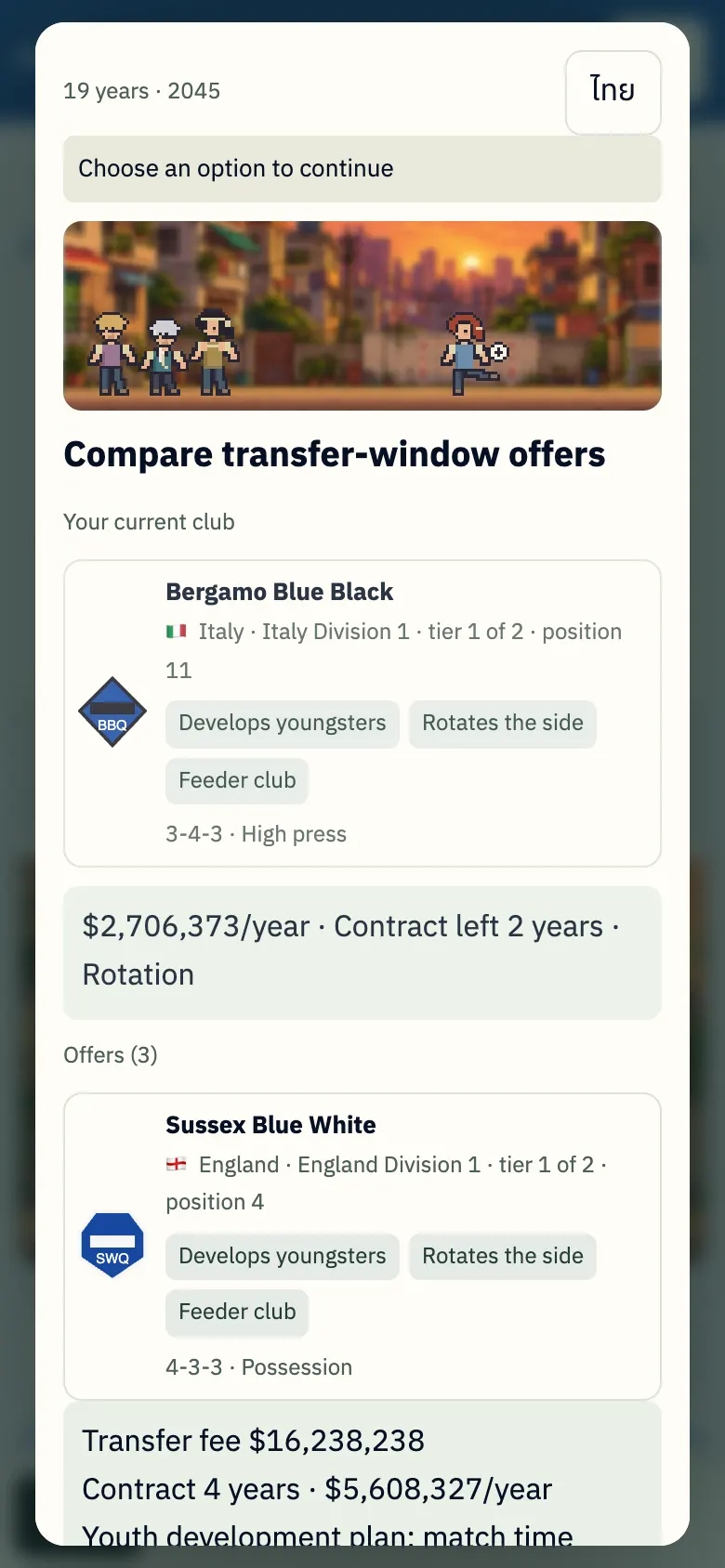
- Compare wages, squad role, contract years, and club philosophy (youth development/rotation) against your current team.
- View offer / Ask agent to search / Stay.
Final Contract Year
When: In the final year of your contract.
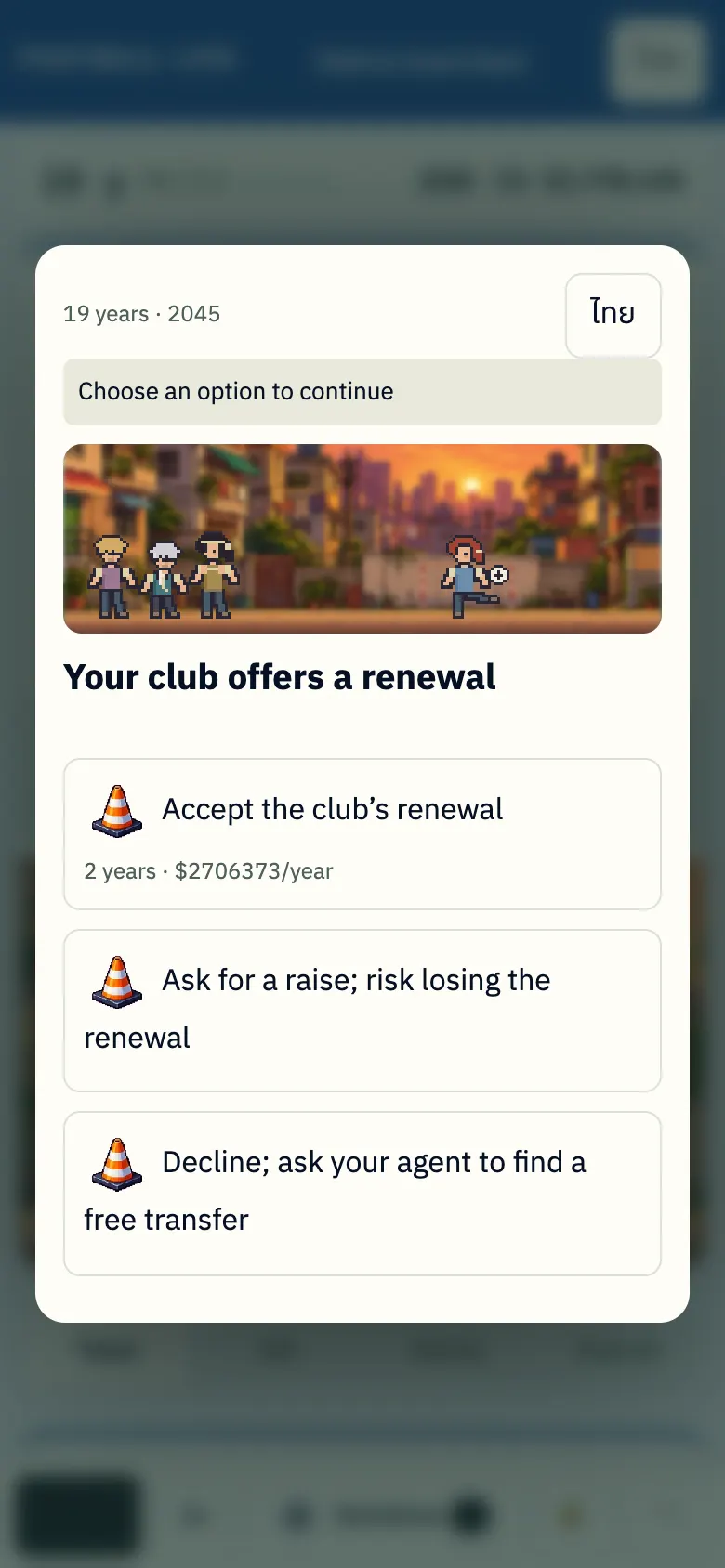
- Renew contract / Demand higher wages (risks club refusal) / Walk away on a free transfer.
10. Season Review & Stats
When you encounter this screen: At the end of each season or via the information tabs.
Season Recap
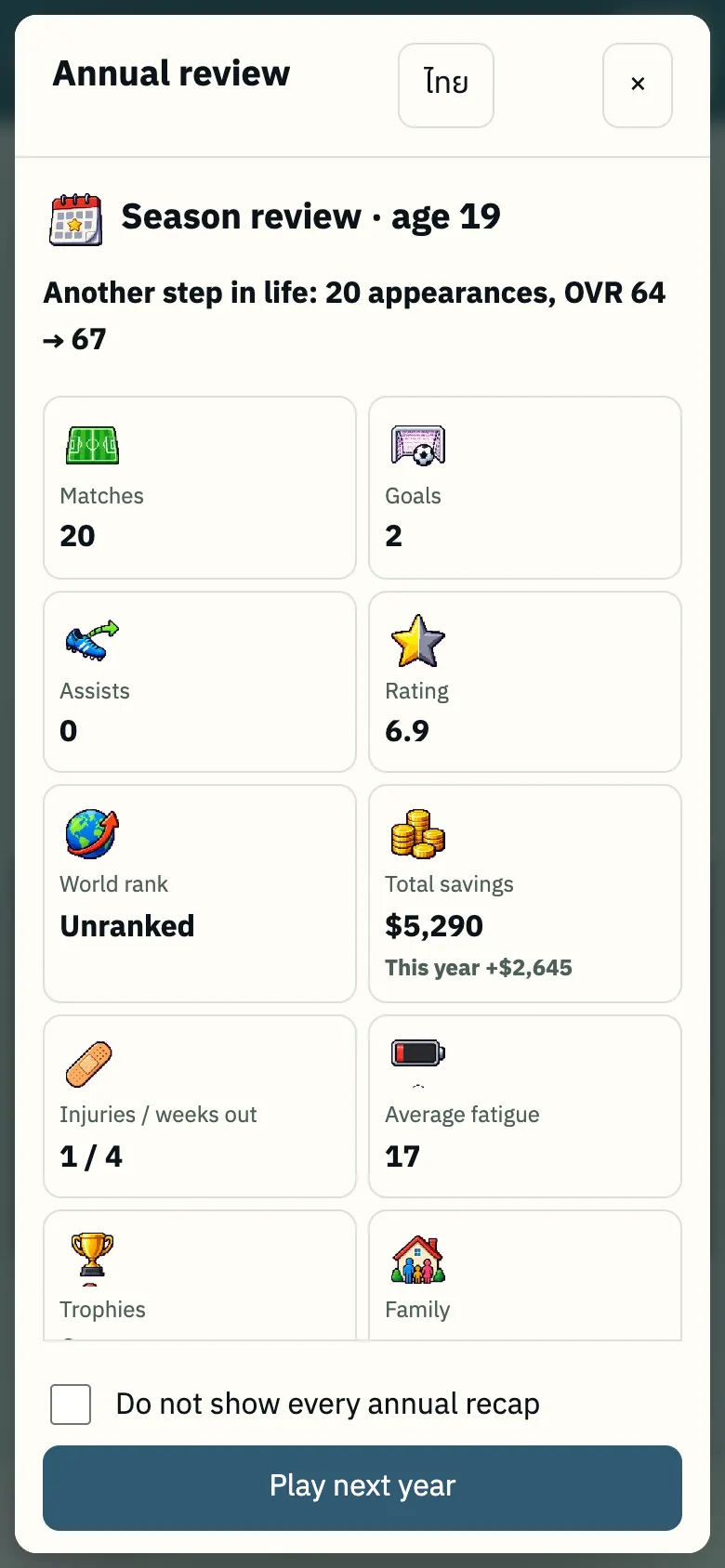
- Appears automatically at the end of each season (appearances, goals, rating, world rank, earnings, injuries, trophies).
- Option to tick "Don't show recap every year".
- Re-open anytime from the ⋯ menu.
Money Tab
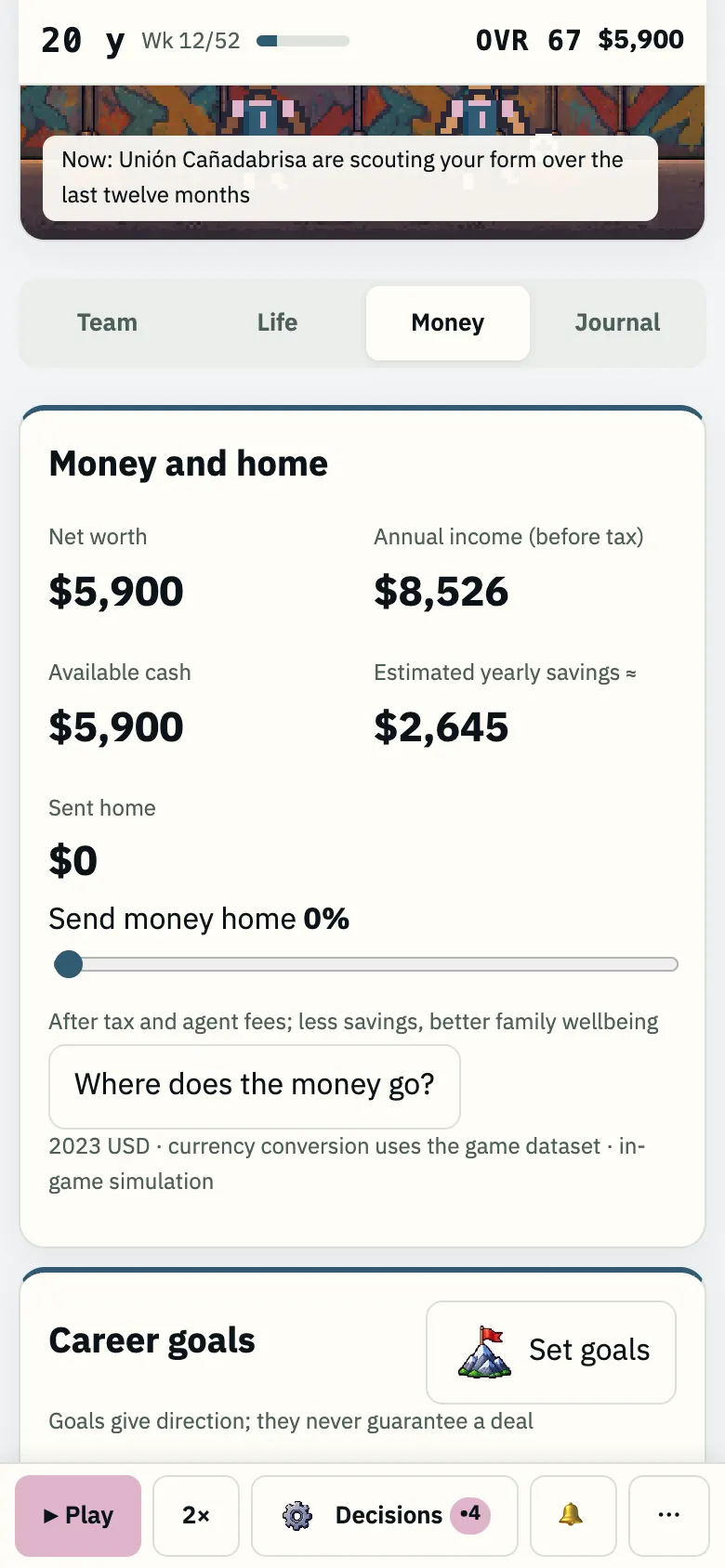
- Net worth, annual wage, disposable cash, yearly savings.
- Remittance slider for family support.
- "Where does the money go?" detailed expense breakdown.
- Career goals ("Set goal").
Journal Tab
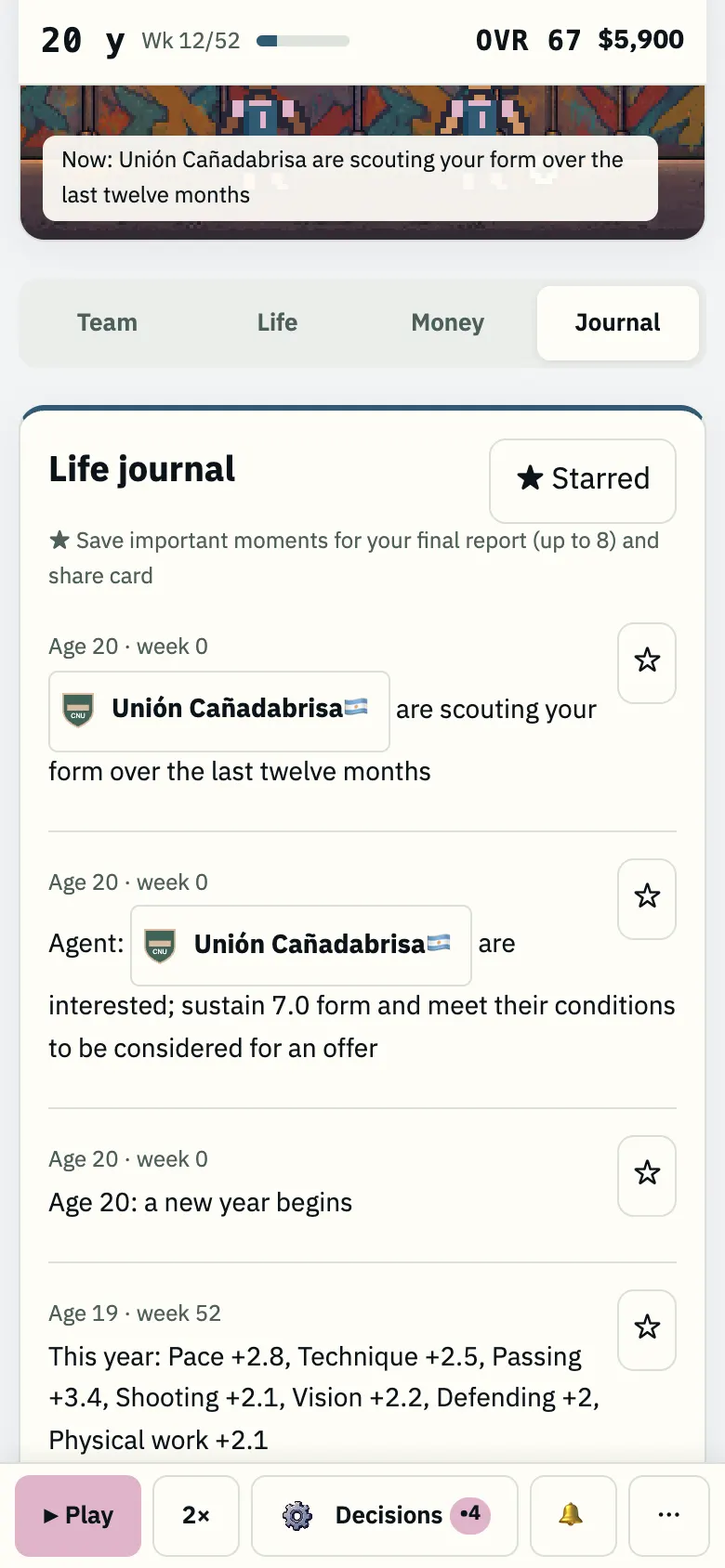
- Complete chronological record of your career events.
- Tap ☆ to pin up to 8 key moments to appear on your final career summary and share card.
11. Menu ⋯ & 🔔
When you encounter this screen: Tap ⋯ or 🔔 on the bottom bar at any time.
More Menu ⋯
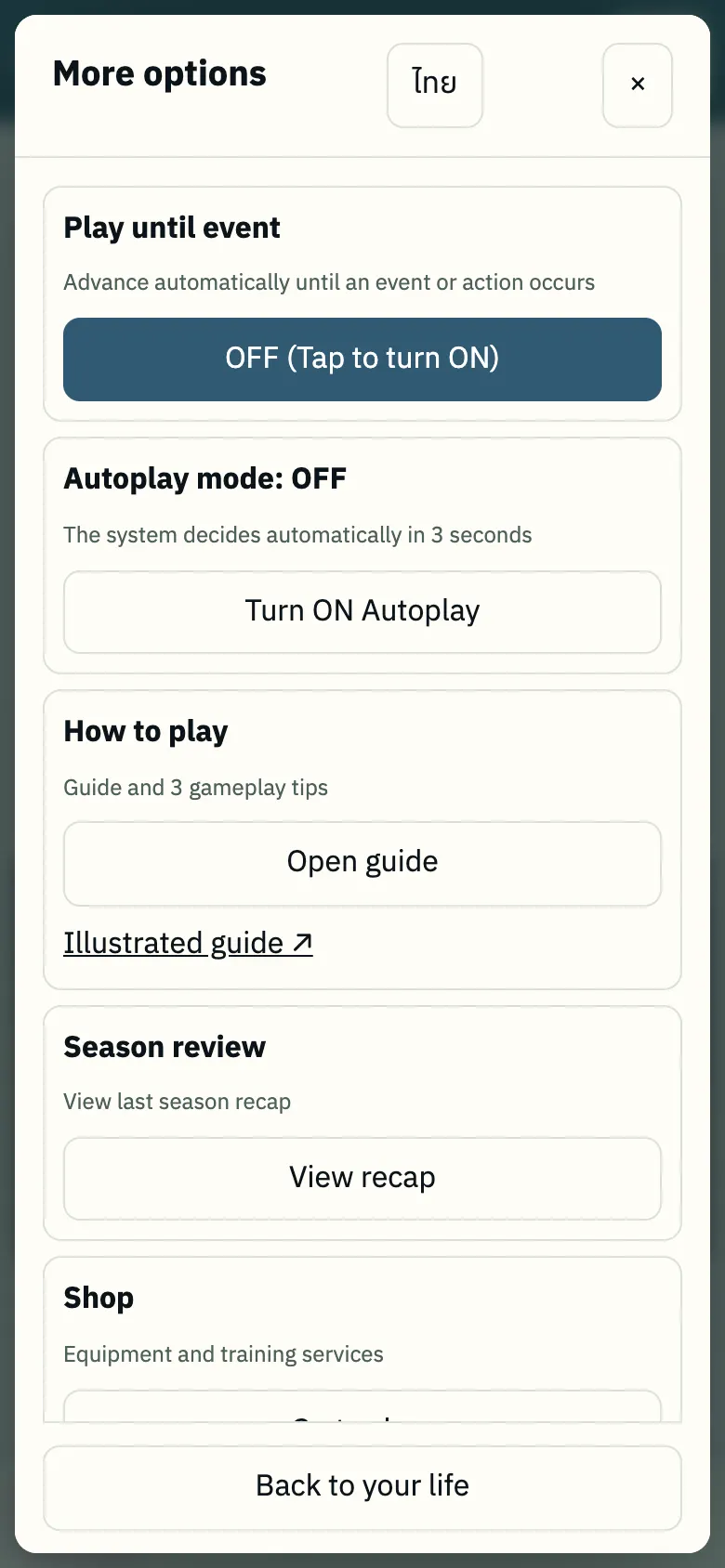
- "Play until event" (advances automatically until an event occurs and pauses).
- Autoplay mode (bot chooses within 3 seconds with visible countdown, can override manually).
- How to play guide.
- Season recap.
- Shop.
- Change language.
Notification History 🔔
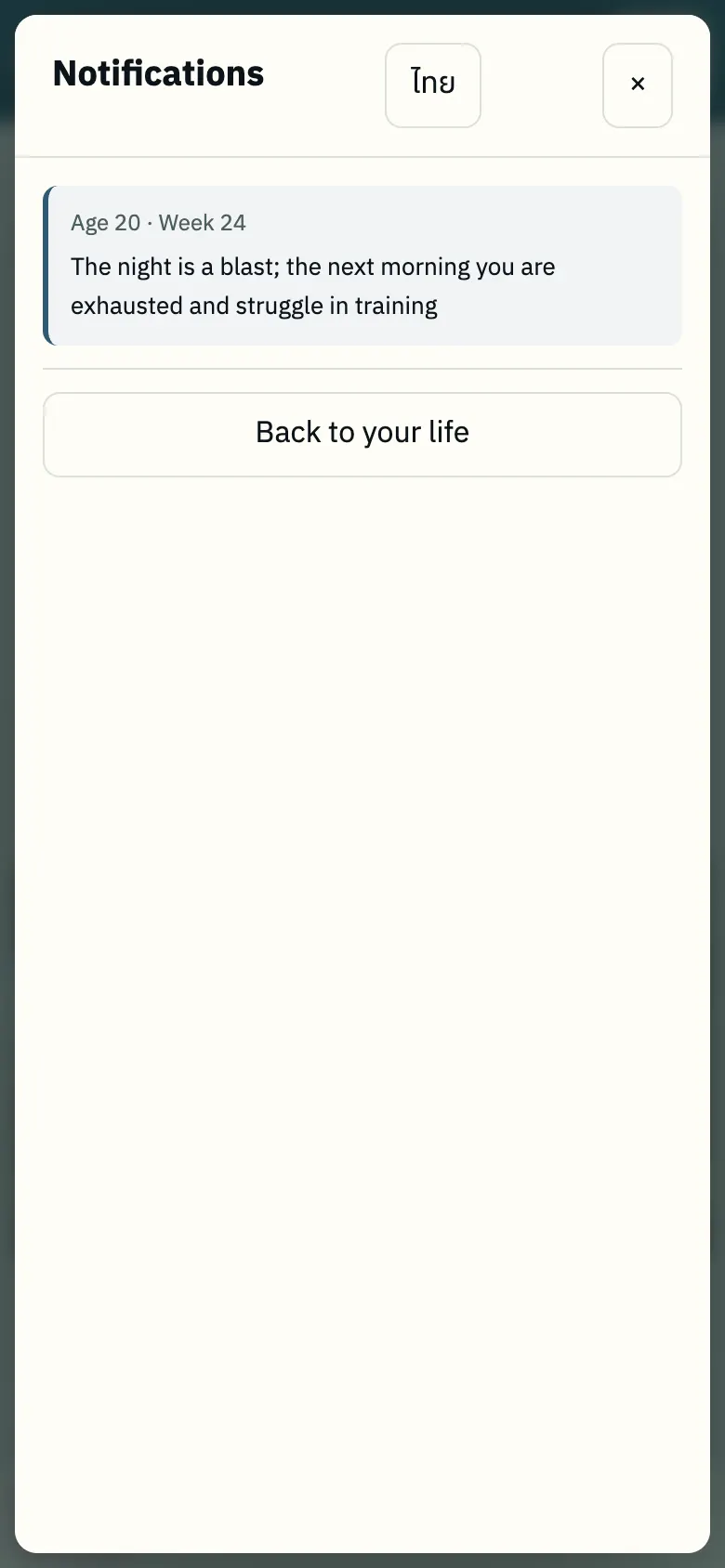
- Historical notification log: last 20 alerts with age and week (re-read transient messages anytime).
12. Career Ending
When you encounter this screen: When your playing career ends upon retirement.
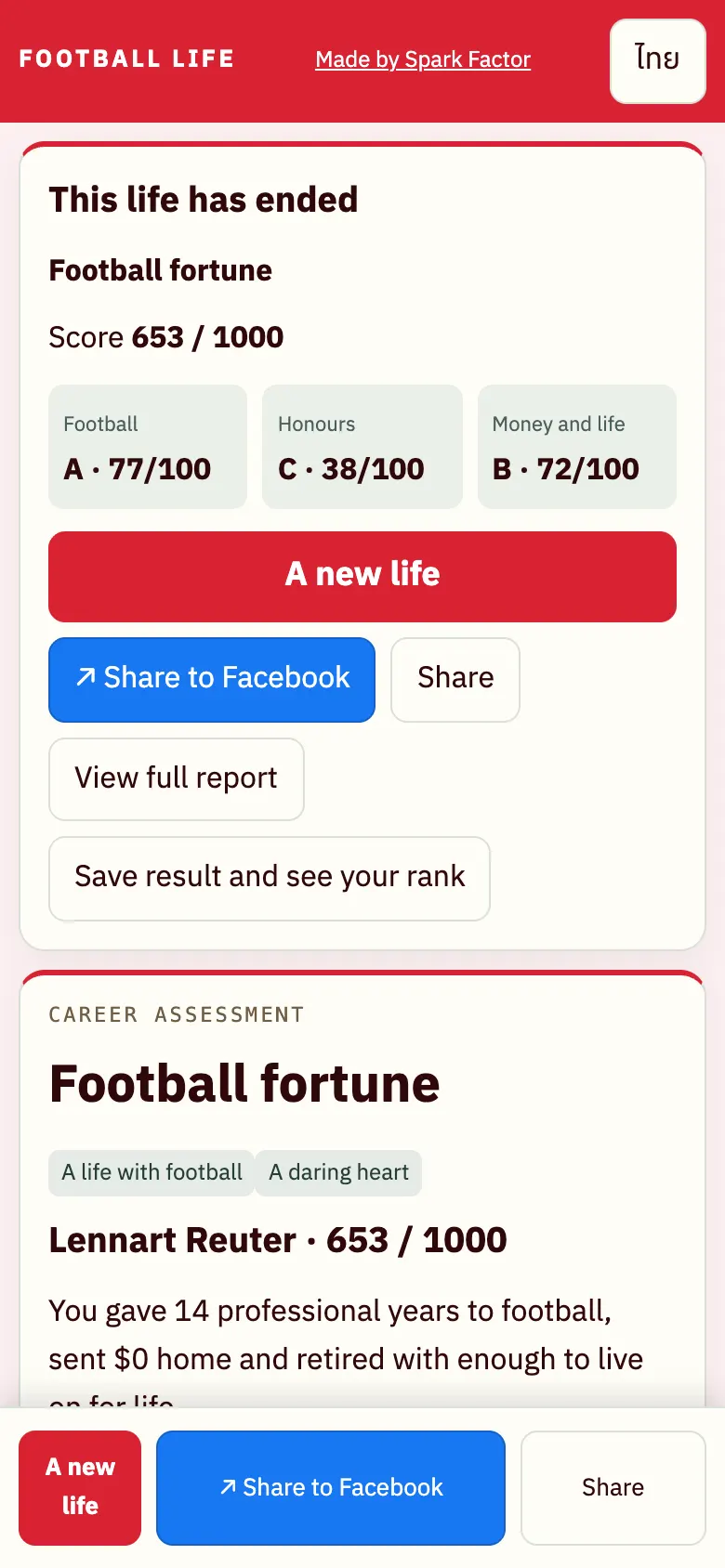
- Life ends upon retirement.
- Score out of 1000 across 3 pillars: Journey / Honours / Money & life (grades A–D) + career moniker.
- "Share to Facebook"
- "Save result & view leaderboard" (compete on leaderboards)
- "Start a new life"
Frequently Asked Questions
Does the percentage show the chance of winning the match?
No. It is the chance that your chosen play comes off, rather than the chance of winning the whole match.
Do challenge games count towards the rankings?
No. Challenge games are unranked, but you can compare your careers in the table at the end.
Is the game paused or frozen?
If you see "Time paused · N decisions pending", the game has paused to wait for your choice. Tap "Decisions" or ▶ to proceed.
Time moves too fast — how do I keep up?
Every event card pauses time until you choose. Reduce game speed to 1× or 2×, disable "Play until event", and check missed alerts in 🔔.
How do I get a transfer?
Go to Decisions › Career › Agent search, and maintain form matching conditions in "Who's watching you". Offers arrive during transfer windows (pre-season/mid-season).
Where did the money go?
Open the Money tab › "Where does the money go?" (inspect living expenses, taxes, agent fees, family remittance, and item maintenance).
How is the game saved?
Saved automatically in your device's browser. Close and return anytime to continue without logging in (private browsing or clearing cache will erase saves).
Can I choose my birthplace or talent?
No (intentionally designed to simulate unpredictability like real life), but you have complete control over all your life choices, training, position, and playstyle.